404ops AI Comment Moderation
Moderate WordPress comments with a provider you approve and a queue for decisions that need a person.
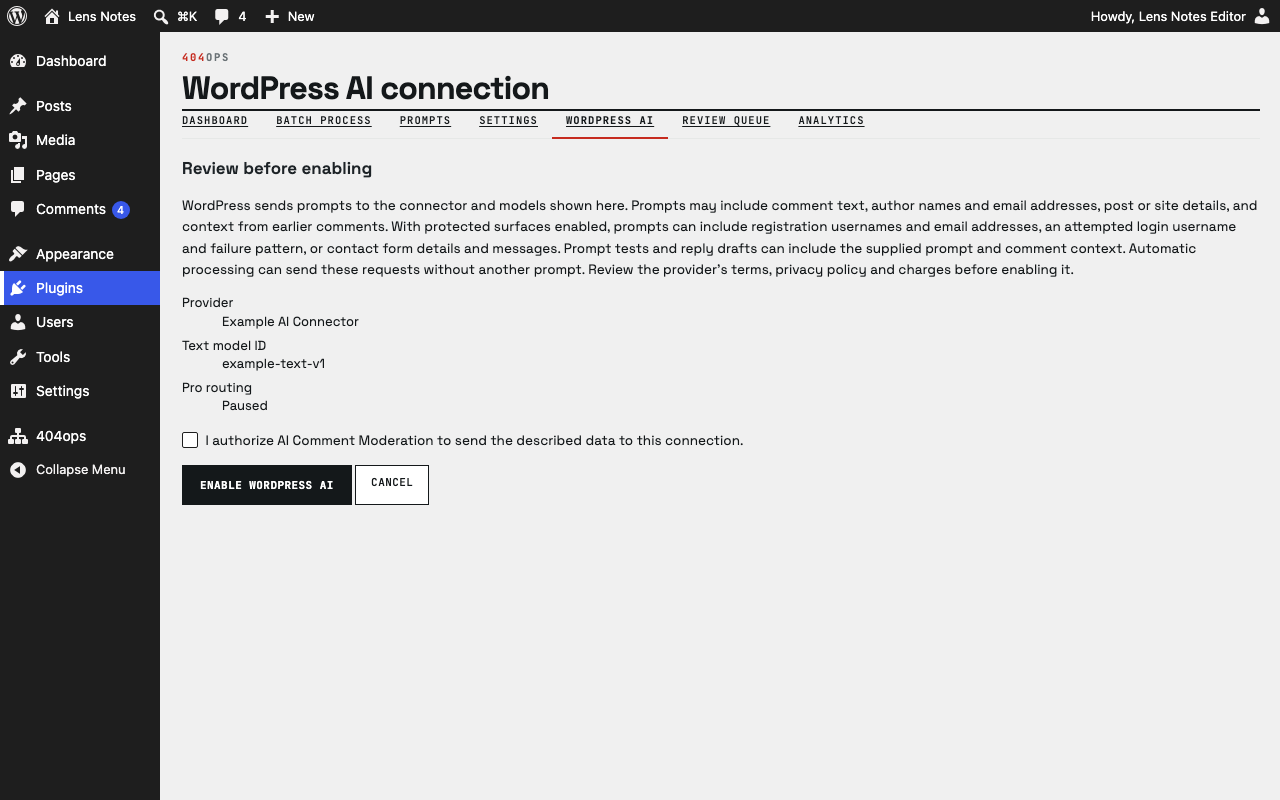
Filter spam, toxicity, and off-topic comments on WordPress 7.0 or later. Set up a supported Connector in WordPress and choose the exact text model from the plugin’s WordPress AI screen. Review the data disclosure before enabling requests.
Free
- WordPress AI approval. Save the API key in WordPress Settings → Connectors. Review the provider, model, and data disclosure in the plugin before enabling AI. Changing Connector credentials requires fresh approval.
- Provider costs. WordPress sends prompts to the approved provider. The plugin tracks estimates where rates are available and shows requests with unknown costs.
- WordPress's own moderation lists are honoured. The Disallowed and Moderation Comment Keys you already maintain are matched locally before any AI call, and a local filter sends obvious bot spam straight to Spam without one.
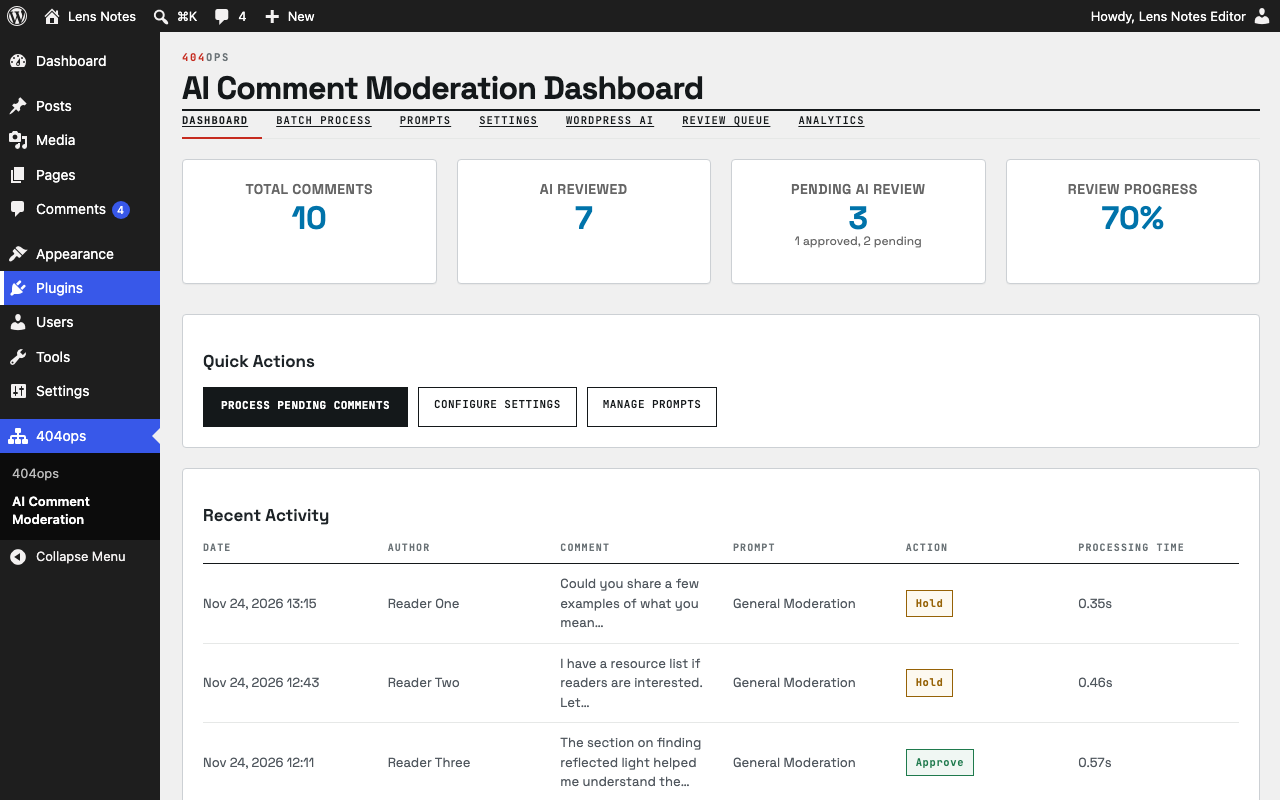
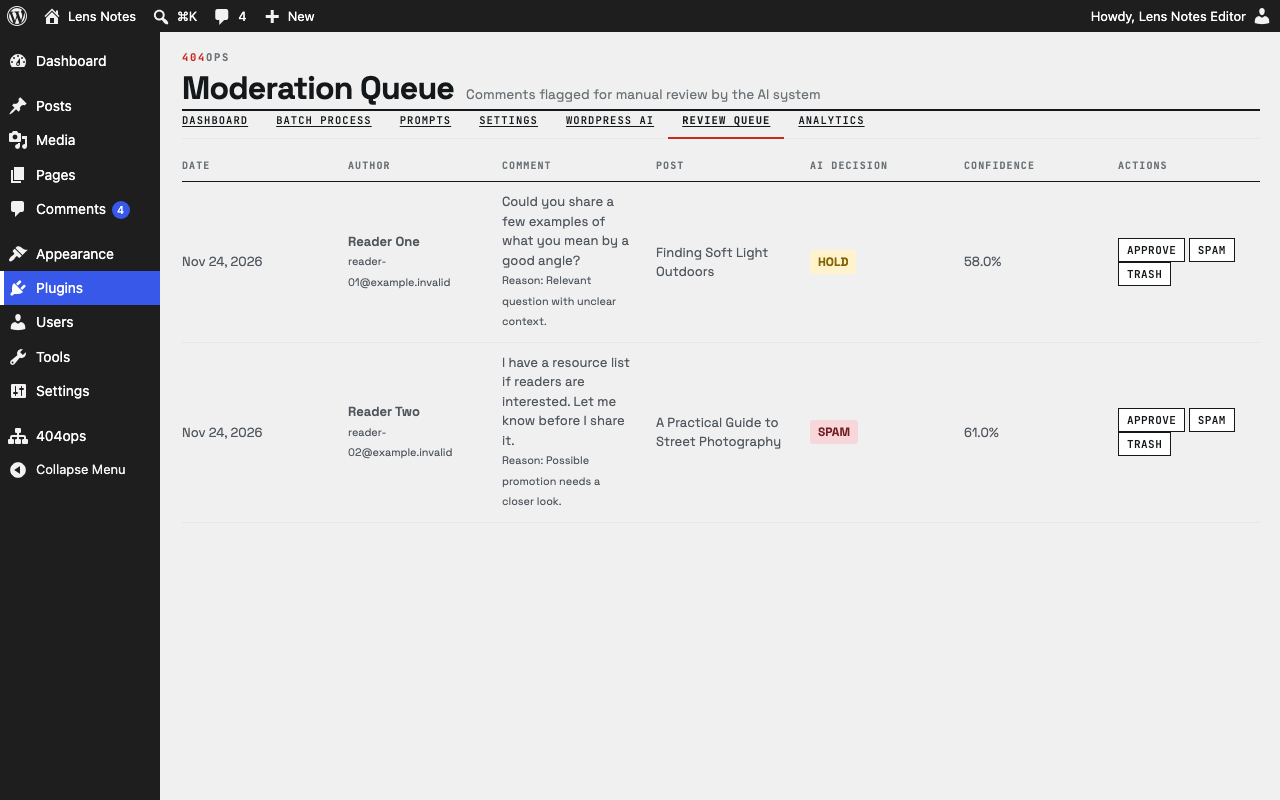
- Reason codes and a confidence score on every verdict, custom prompts, and a per-outcome action (approve, spam or trash). A verdict the AI is not confident about goes to a manual Review Queue.
- Trusted Commenter Threshold: commenters with a good record skip the AI call, except on comments containing a link and a small random sample.
- Testing Mode: record every verdict without changing any comment, to watch real decisions before you trust them.
- Batch processing of existing comments, and optional auto-processing of new ones.
- Protected surfaces, each with its own toggle: the registration form, repeated login failures and form submissions.
- Self-tuning from the corrections your moderators make: calibration examples you can switch off, and confidence-floor recommendations you apply with one click.
- An AI Verdict column and a Suggest Reply action on WordPress's Comments screen.
- Commenter reputation tracking, analytics with CSV export, log retention windows and optional webhook notifications.
What Pro adds
- Remote site sync. Pull comments in from other WordPress sites you administer, over their REST API with an application password you supply, and moderate them from one dashboard.
- Reputation analytics. A dashboard over the reputation scores the free plugin already tracks: totals, averages and the most-trusted and lowest-scoring commenters.
- Weekly digest email. A summary of comments processed and decisions taken, with a snapshot of your commenters' reputation.
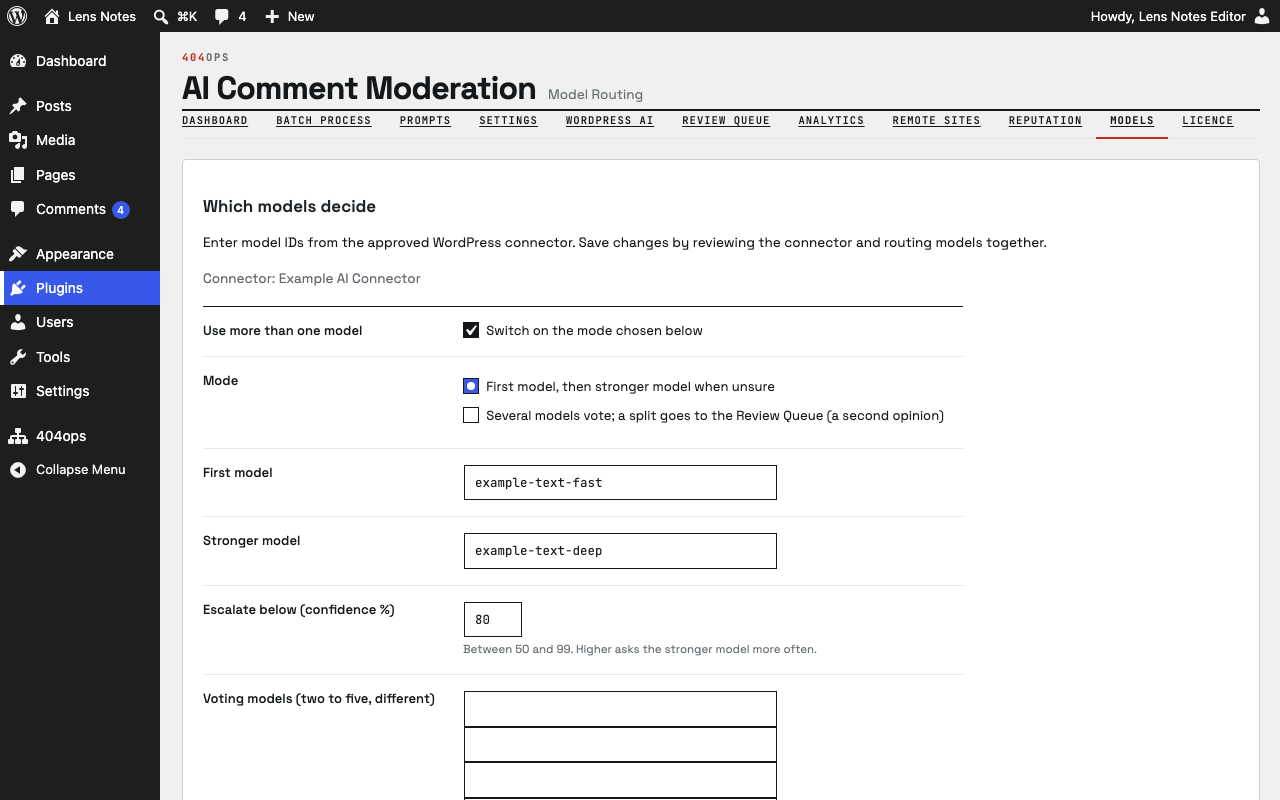
- Model routing. Choose a first model and a stronger model on the approved Connector. The stronger model reviews uncertain results using your confidence threshold.
- Ensemble voting. Two to five models you choose vote on each verdict, by majority or unanimously. A split vote goes to the Review Queue with every model's vote shown.
Pro is a separate paid add-on, so install the free plugin first. The features under Free remain available without Pro.
Upgrading with Pro? Wait until both 2.13.0 packages are available to you, then update Free and Pro together, installing Free first. Updating Free alone pauses features from older Pro versions.
Free and Pro include draft translations in German, Spanish, French, Japanese and Brazilian Portuguese. Human linguistic review remains separate.
AI and external data
AI requests use the WordPress Connector and models an administrator approves for the site. Moderation may include comment text, the commenter’s display name and email address, post or site details, and thread context. Registration screening can send a username and email address. Login screening sends the attempted username and failure pattern without the password. Form screening can include contact details and the message. Prompt tests and reply drafts use the supplied prompt or comment context. Calibration can add corrected-comment excerpts. Pro routing can send the same data to additional approved models. Configured webhooks and Pro remote site synchronization are separate destinations.
Read the installed edition's External Services disclosure before enabling a feature. Review the provider policies and DPA considerations.
In WordPress, open Plugins → Add New Plugin → Upload Plugin. Upload this ZIP and activate it. Pro is a separate add-on; install Free first and keep both active.
Paid purchases are temporarily unavailable. Free downloads and existing licences remain available.
AI Comment Moderation screenshots