404ops AI Email Manager
Bring your mailboxes into WordPress: IMAP sync, AI classification with privacy redaction, a team inbox and analytics.
404ops AI Email Manager downloads mail over IMAP into a shared WordPress inbox. Use your AI connection to classify and summarize messages and draft replies for review.
Features
- Any number of mailboxes, each with an owner, private or shared with the team.
- Gmail and Microsoft 365 / Outlook.com sign-in with OAuth (IMAP and SMTP XOAUTH2): no stored mailbox password, a setup checklist for each provider, and a directory (tenant) setting for Microsoft applications registered for one organisation.
- AI classification with thread and sender context, per-message AI summaries and AI-drafted replies, through OpenAI, Anthropic, Google Gemini, OpenRouter, an OpenAI-compatible endpoint or Ollama (local).
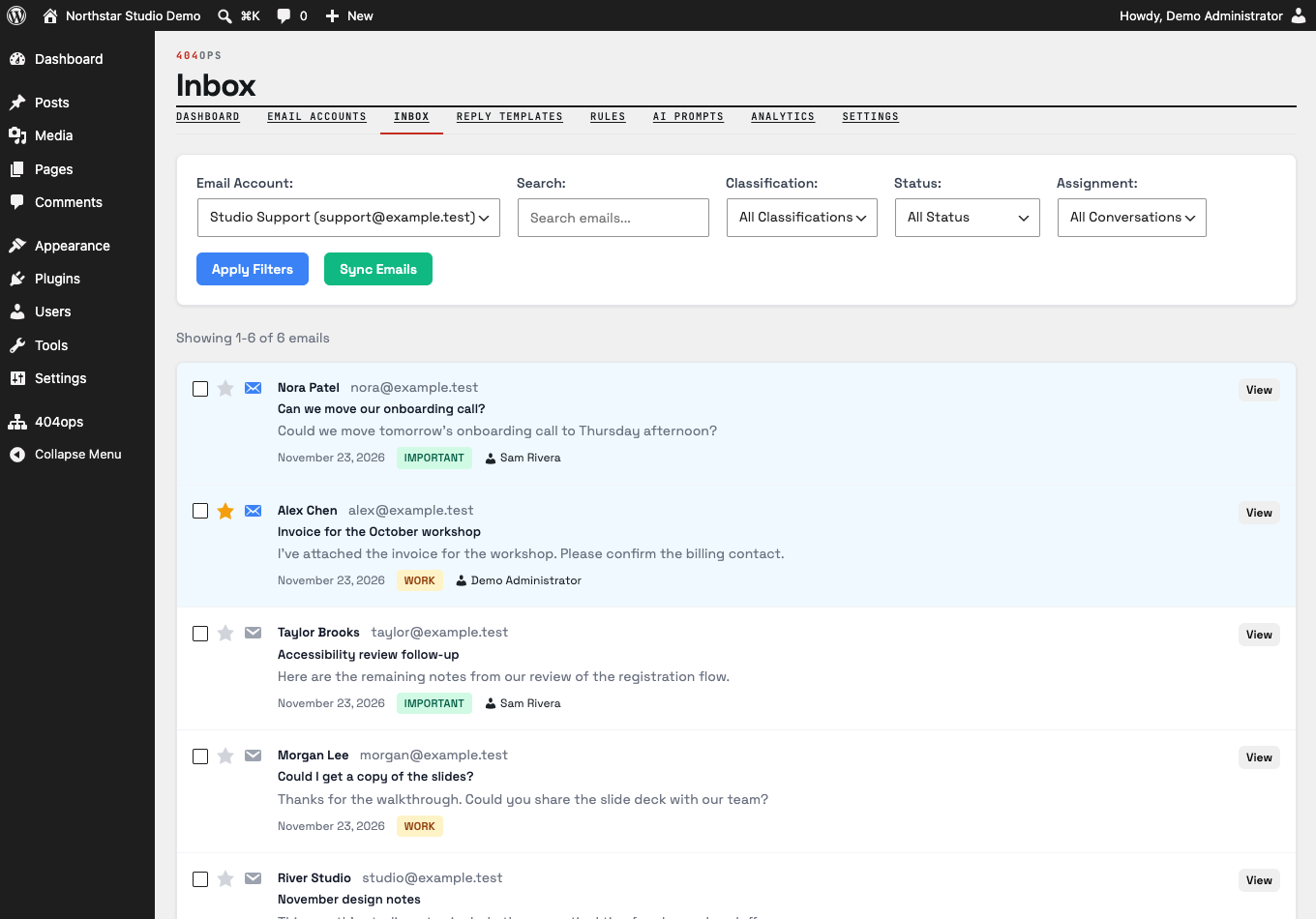
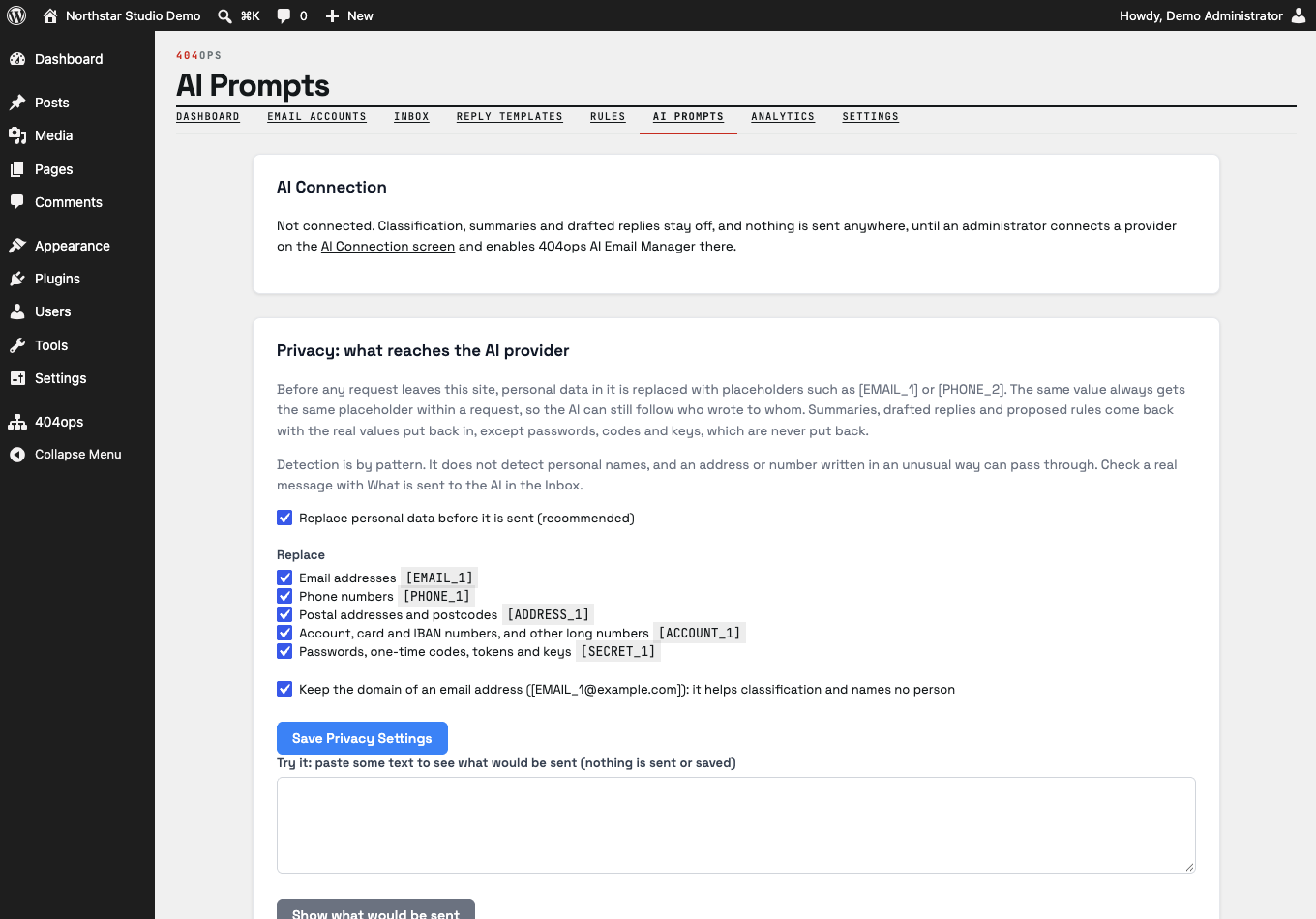
- Configurable privacy redaction. By default, the plugin replaces detected email addresses, phone numbers, postal addresses, account numbers and secrets with placeholders before sending text to the AI provider. The Inbox shows what the plugin sends.
- Replies and forwards from the Inbox through the mailbox's own SMTP server, with reply templates.
- Team collaboration: assignment, internal notes that are never sent to the customer, and a reply lock so two people do not answer the same customer twice.
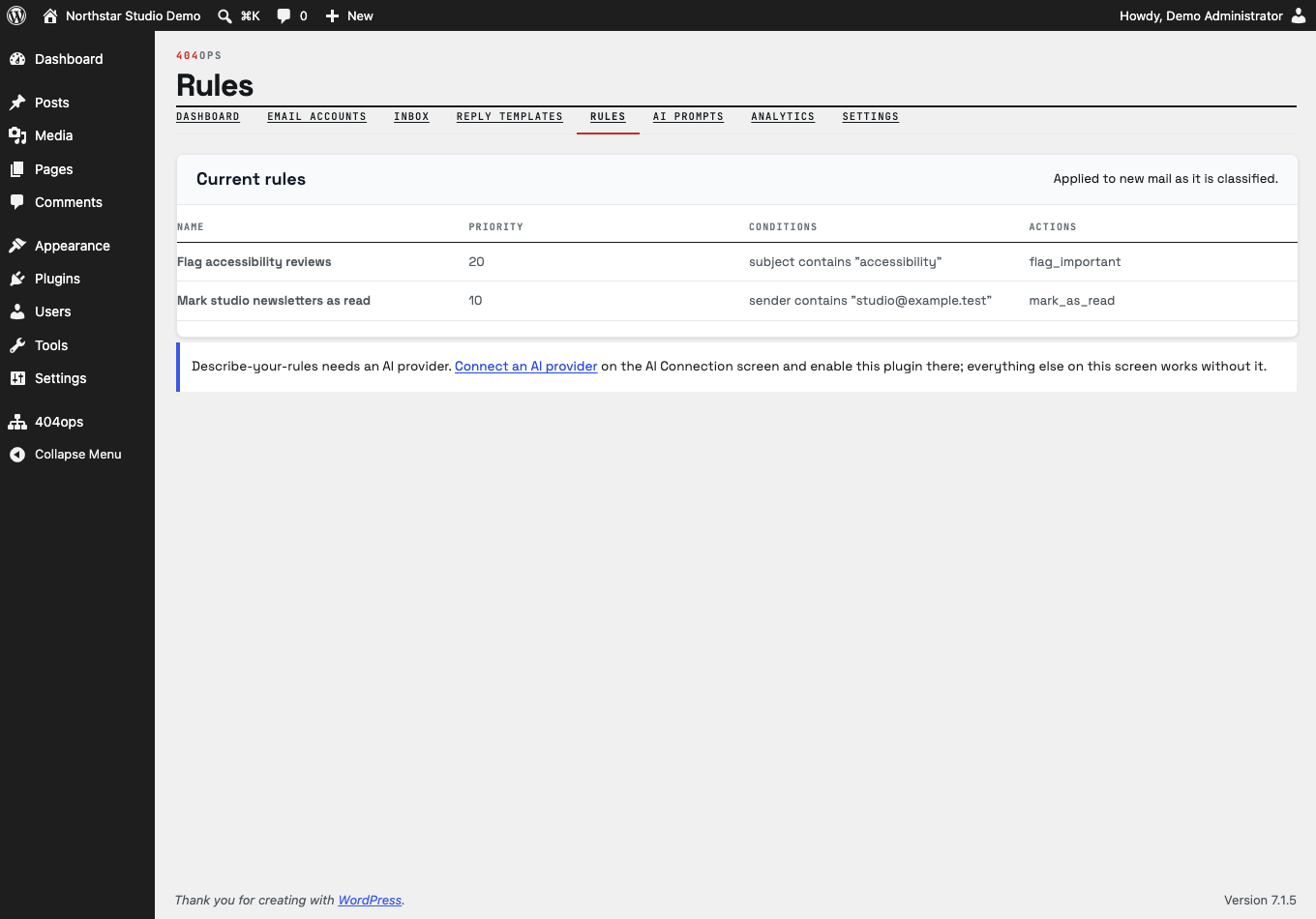
- Rules described in plain language. Proposed rules are reviewed row by row, and nothing saves until you accept.
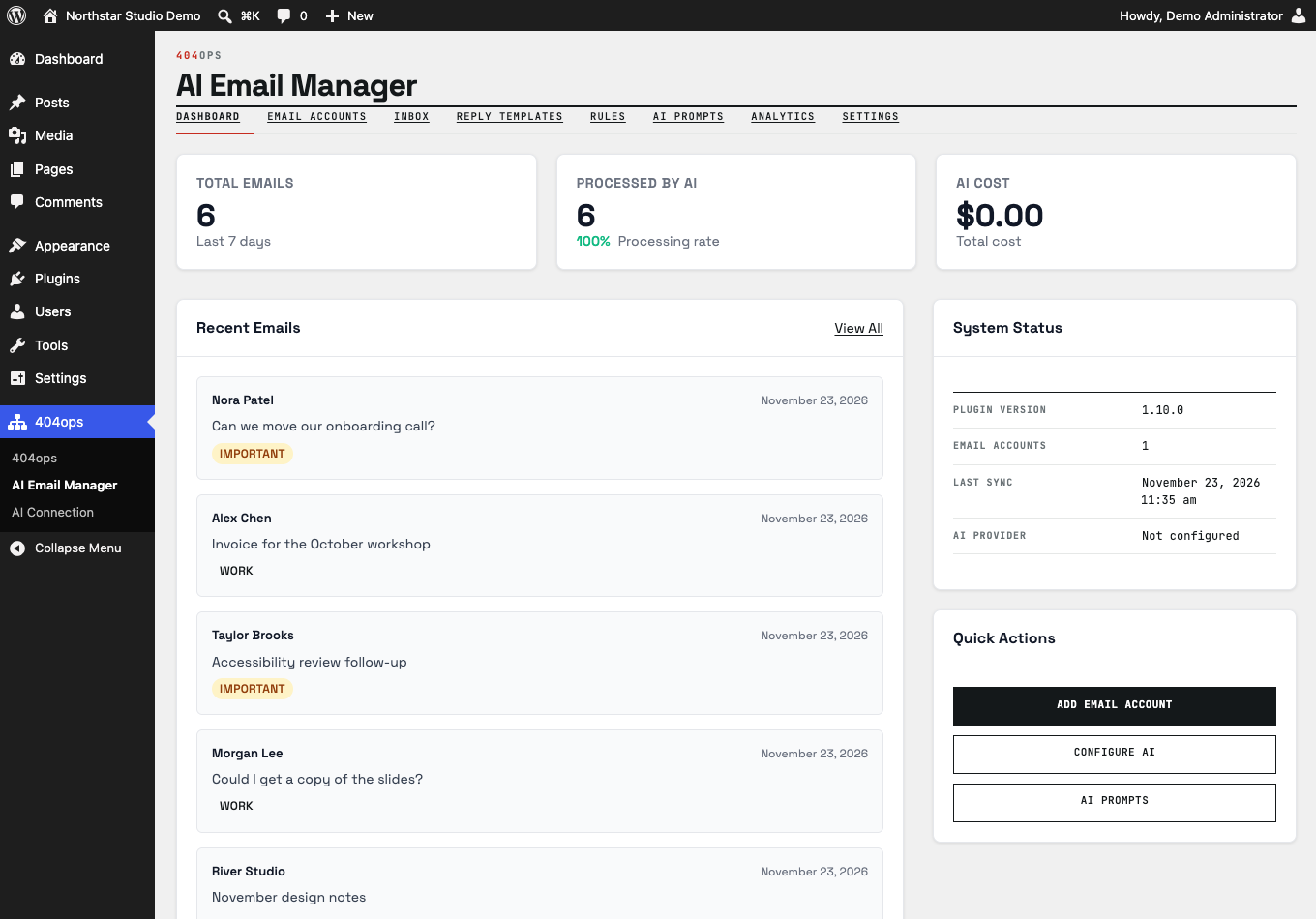
- A dashboard and analytics.
- Mailbox passwords and OAuth tokens encrypted at rest, with personal-data export and erase.
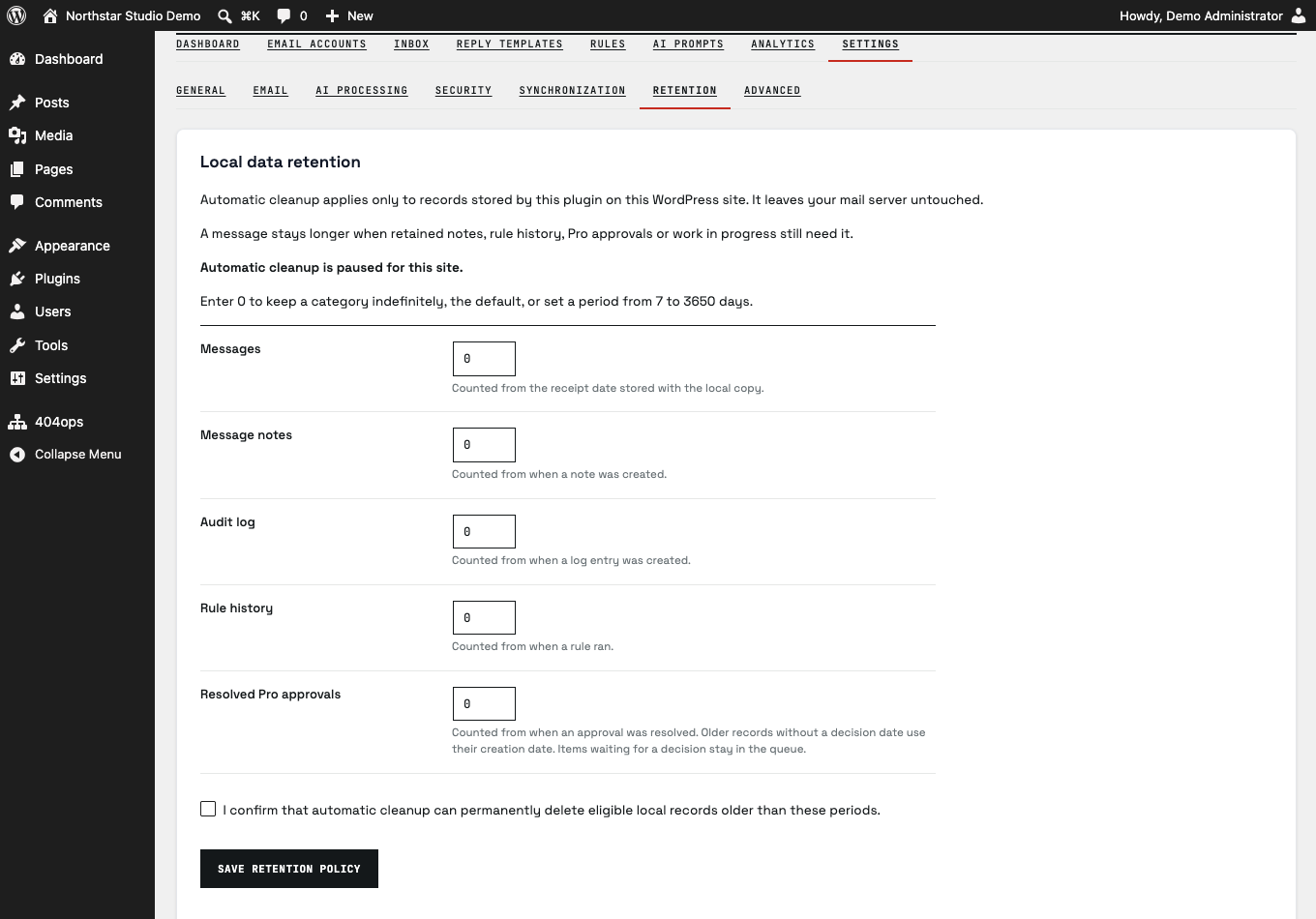
- Per-site retention for local messages, notes, audit entries and rule history. Cleanup starts paused and requires an administrator to confirm separate periods on a supported MariaDB host. Scheduled cleanup leaves mail on the mail server untouched.
- WP-CLI commands for sync, classification and status.
- Read-only administrative status interfaces and five bundled draft translations.
What Pro adds
- Rule Builder. Create, edit and switch rules on and off by hand, and test a rule against your 200 most recent messages before you trust it. A test runs nothing.
- Mail-server changes you approve. Mark as read, flag, move to a folder, archive or move to Trash, from the Inbox or by applying a rule to existing mail. Each rule-driven change waits for an administrator.
- Inbox Cleanup. An AI plan you review, shown with the exact request before it is sent. Nothing changes until you tick what to apply.
- Held replies. Optionally, a rule's automatic reply or forward waits for approval instead of going out at once.
- Approval history retention. Set a period for resolved approvals through the same confirmed site policy on supported hosts with matched Free and Pro versions. Pending and running items stay in the queue.
Pro is a separate add-on that needs the Free plugin.
AI and external data
Enabled classification sends subject, sender address/name and the first 1000 plain-text body characters, plus bounded earlier thread context when present. Summarize uses up to 2000 body characters. Attachments, HTML and raw headers are excluded. Pattern redaction is on by default; administrators can disable categories, names remain, and unusual formats may pass through. Rule proposals send the ruleset and your instructions. Requested Pro Inbox Cleanup sends folder names and metadata/excerpts for up to 100 recent messages through the same redaction: sender, subject, date, read/flagged state, classification and the first 160 body characters. A preview is available before sending. Connected mail/OAuth servers process mail independently of the model.
Read the installed edition's External Services disclosure before enabling a feature. Review the provider policies and DPA considerations.
In WordPress, open Plugins → Add New Plugin → Upload Plugin. Upload this ZIP and activate it. Pro is a separate add-on; install Free first and keep both active.
Paid purchases are temporarily unavailable. Free downloads and existing licences remain available.
AI Email Manager screenshots