404ops Short Link Manager
Branded short links with QR codes, privacy-first click analytics, a 404 log of the dead URLs visitors really hit, and broken-link checking.
ScreenshotsFree edition. Your own browser demo. No account needed.
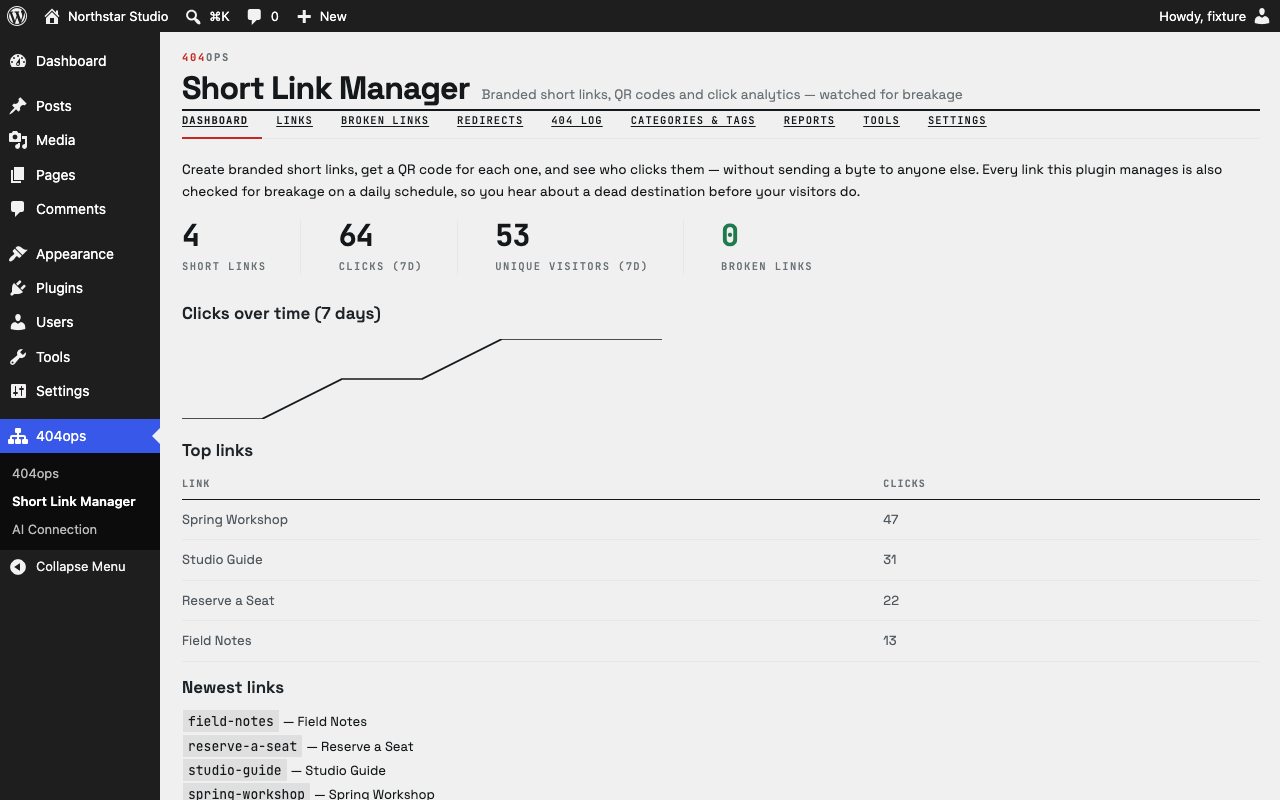
Short links you own, on your own domain, with analytics that stay on your site. Plus a link checker that tells you which of your published links have quietly rotted, and a 404 log of the dead URLs visitors really hit.
Free, including the parts other plugins charge for
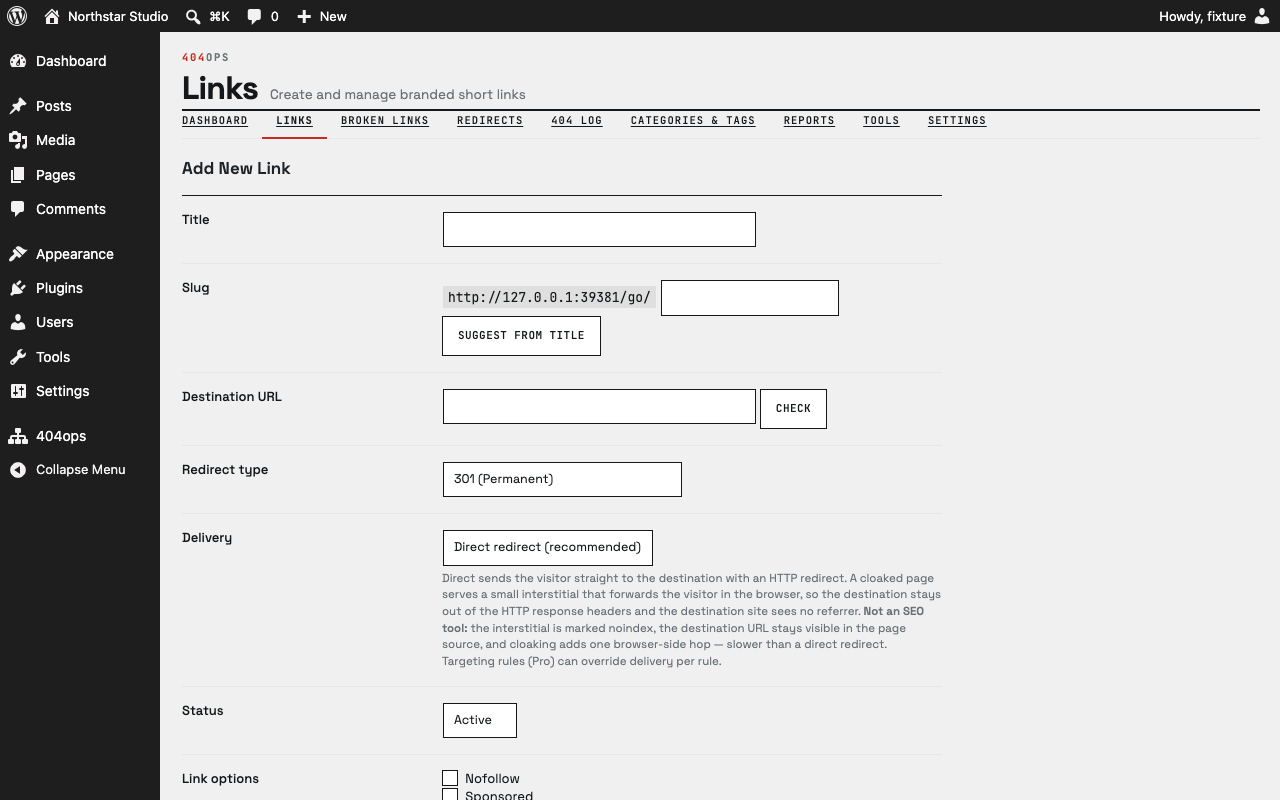
- Branded short links with a prefix you choose, a title, a category and tags, and 301, 302 or 307 redirects. A Short link button in the block editor creates one without leaving the post.
- QR codes for every short link, generated locally as SVG. No third-party QR service is contacted.
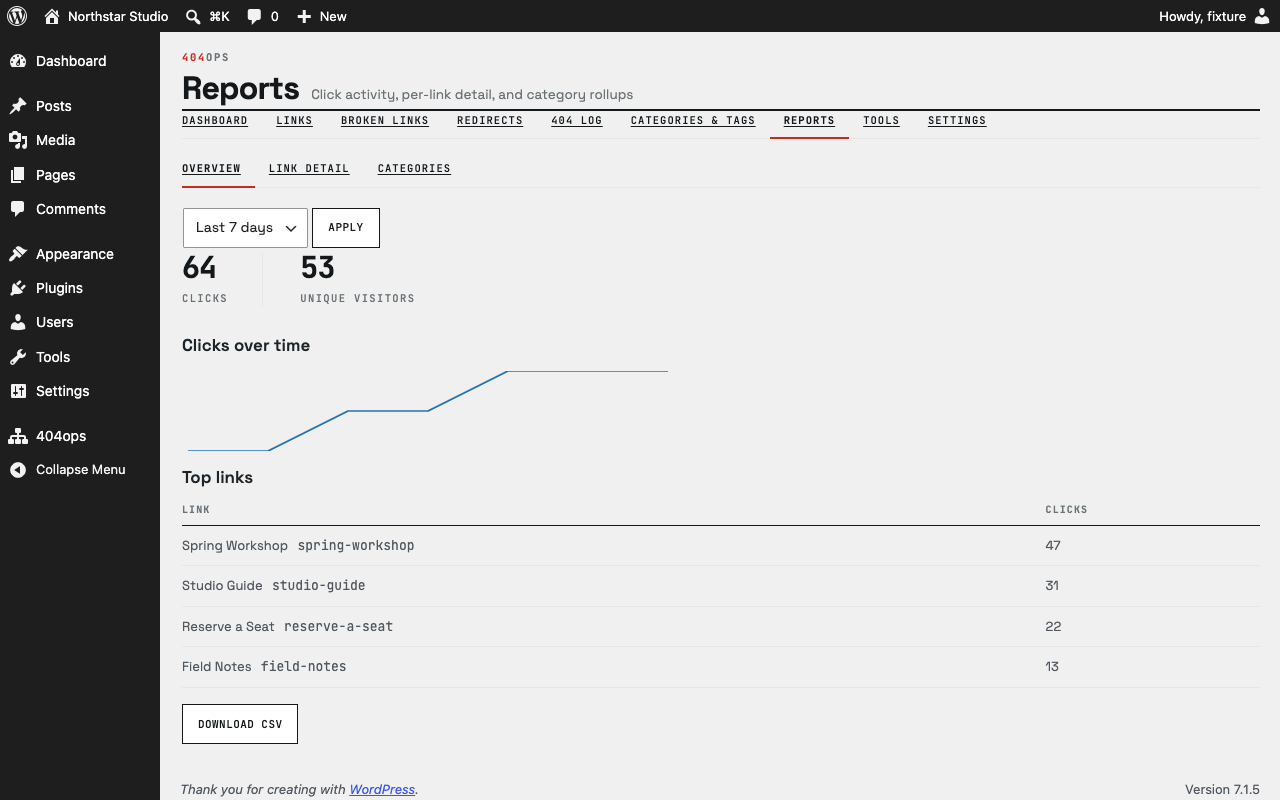
- Click analytics: timestamp, referrer host, device and browser, country and a bot flag, with a dashboard, reports and per-link stats drawn as inline SVG. The free plugin makes no external GeoIP request.
- Privacy-first IP handling, set per site: anonymized (the default), full, or none. Honours Do Not Track when enabled, with configurable retention.
- Broken-link scanning of links in published posts and pages, including a scheduled scan that runs in an off-peak window you choose, in time-limited batches, plus a one-click recheck.
- A 404 log that records every dead URL a visitor hits, with a hit counter, when it was first and last seen, and where the visitor came from.
- Expiry by date or click count, with a fallback destination, and optional
nofollowandsponsoredattributes. - A separate redirect manager for plain path-to-URL 301 and 302 redirects.
- CSV import and export, both directions, with no licence required. Rows whose domain no longer resolves are listed so you can fix them.
Coming from Pretty Links?
A one-way migrator on the Tools screen copies your links across with their titles, redirect types and click totals, and can keep old Pretty Links addresses working with a redirect from each. It never writes to Pretty Links' data. It has been tested against Pretty Links' table layout with a sample dataset, not yet on a large live site, so back up your database first.
What Pro adds
- Keyword auto-linking. Turn chosen phrases into links across your content automatically.
- Deep Link Health. Scanning across short links, in-content links and comment author URLs, flagging redirect chains and suspicious-but-200 responses such as parked domains.
- An AI broken-link agent and AI link suggestions using your own API key. Every AI-proposed fix is a proposal you review and approve; every applied change has a one-click revert.
- Redirect targeting by country, device and time, and redirect import from a CSV file, Redirection, Yoast SEO Premium or Rank Math with a dry-run preview.
- Optional click forwarding to Google Analytics 4 and Meta once you enter your own IDs.
Pro is a separate add-on that requires the Free plugin. An administrator can enable GeoJS for country targeting on each site. When enabled, a queued lookup sends the visitor's IP to the configured service if a country rule needs it and neither a host header nor cached result can answer.
Multisite removal
Give your host administrator the exact installed archives, the Short Link Manager 1.11.6 multisite removal tool and the release checksums. Remove Pro first if installed. The tool checks for active use across the installation and honors each site's Free data removal choice.
AI and external data
Pro repair suggestions send the broken URL, HTTP status and fetched page title/excerpts/content to the selected provider. Internal-link suggestions send selected post text and candidate page details; redirect suggestions send the missing path and candidate URLs/titles. The repair adapter supports its documented three providers; the shared AI Connection screen supports more. Link checking, optional analytics and remote country lookup are separate flows; country lookup can send a visitor IP even when analytics IP handling is set to none.
Read the installed edition's External Services disclosure before enabling a feature. Review the provider policies and DPA considerations.
In WordPress, open Plugins → Add New Plugin → Upload Plugin. Upload this ZIP and activate it. Pro is a separate add-on; install Free first and keep both active.
Paid purchases are temporarily unavailable. Free downloads and existing licences remain available.
Short Link Manager screenshots