404ops Network Scanner
A suite of pure-PHP network diagnostic tools (port scan, DNS, Whois, SSL inspector, and more) for server administrators.
Screenshots404ops Network Scanner gives administrators a suite of network diagnostic tools on one admin screen. Single-host tools contact only this site or a target you have verified. On standalone sites, or for a Multisite super administrator, Subnet Discovery also permits a private range containing this site; you must have permission to scan every host in the range. Every tool is pure PHP: nothing shells out to nmap, whois, dig or curl, and only users with the manage_options capability can use the scanner.
Features
- Port scans: Quick Port Scan and Deep Scan, using TCP connections only. Add a ports suffix to a verified target to choose the ports.
- Subnet Discovery: TCP-connect checks of an eligible single host or a private range containing this site. A /22 has up to 1,022 usable hosts; administrator limits and the time budget can leave hosts unchecked.
- DNS Lookup for A, AAAA, MX, NS, CNAME and TXT records, and Whois Lookup with an RDAP summary.
- HTTP Headers, an SSL Inspector, and an IP Calculator.
- A Live Monitor, and proactive email alerts (off by default) when a host goes down or comes back, a port changes, or a watched domain nears expiry.
- A Site Exposure Check that sends at most 60 requests to your own site to check for exposed XML-RPC, REST user lists,
debug.log,.envand backups, with guidance for findings. It shows what your server can see; a firewall or CDN may present a different result to an outside visitor. - Scan history with a trend line, paging, CSV export and retention from 1 to 2,000 scans (50 by default).
- Target verification: publish the token the plugin shows you as a DNS TXT record or as a file on the host. Verification lasts 90 days. On Multisite, site administrators can scan public targets; a network super administrator is required for private targets and a private Site Exposure Check.
- Optional AI triage that summarises one scan's output, using WordPress AI and a compatible provider configured under Settings > Connectors.
What Pro adds
- Exposure Watch. An hourly watch against a baseline you review and accept; it alerts only when something that was clear in the baseline is now exposed. On private Multisite installations, a network super administrator must enable or re-enable the watch. It keeps the baseline and pauses if the address changes or the approver loses access.
- Alert Channels. Alerts to Slack, Microsoft Teams, Discord, Telegram or a webhook signed with HMAC-SHA256, with retries and rate limits, plus an optional exposure-spike alert.
- Client Reports. A branded weekly or monthly report, emailed as HTML with a PDF and a CSV attached, or downloaded on demand.
- Explain this finding. WordPress AI can provide a plain-English diagnosis and fix steps. Recognized host names, addresses and tokens are replaced by placeholders; review the preview before sending it to your provider.
- Fleet Reporting across your other Pro installs, and the multisite fleet dashboard.
- Agent Gate tools, so your own AI agents can read exposure status, with changes waiting for your approval.
The free tools and the Site Exposure Check remain complete.
Pro is a separate add-on that needs the free plugin. Everything listed above under Features stays free.
For version 2.8.8, update Free first, then Pro. Pro features remain inactive until Free is at least 2.8.8. The licence covers updates and support; the installed version keeps working after expiry. Refunded, revoked or never-activated licences disable Pro features while keeping their settings. Free scan ranges and history retention stay available.
Free version
The free version is available on WordPress.org once it is listed there.
AI and external data
Requested AI triage sends the tool name, target and up to 4,096 characters of one tool's raw scan output through WordPress AI to a compatible configured provider. Pro Explain this finding sends a redacted finding. Scans, ownership checks, DNS, WHOIS/RDAP and configured alert destinations independently contact their targets or service operators; scan output can identify infrastructure.
Read the installed edition's External Services disclosure before enabling a feature. Review the provider policies and DPA considerations.
In WordPress, open Plugins → Add New Plugin → Upload Plugin. Upload this ZIP and activate it. Pro is a separate add-on; install Free first and keep both active.
Paid purchases are temporarily unavailable. Free downloads and existing licences remain available.
Explore the scanner
See the diagnostic console, one-time exposure check and target verification screens. Results come from an isolated test site.
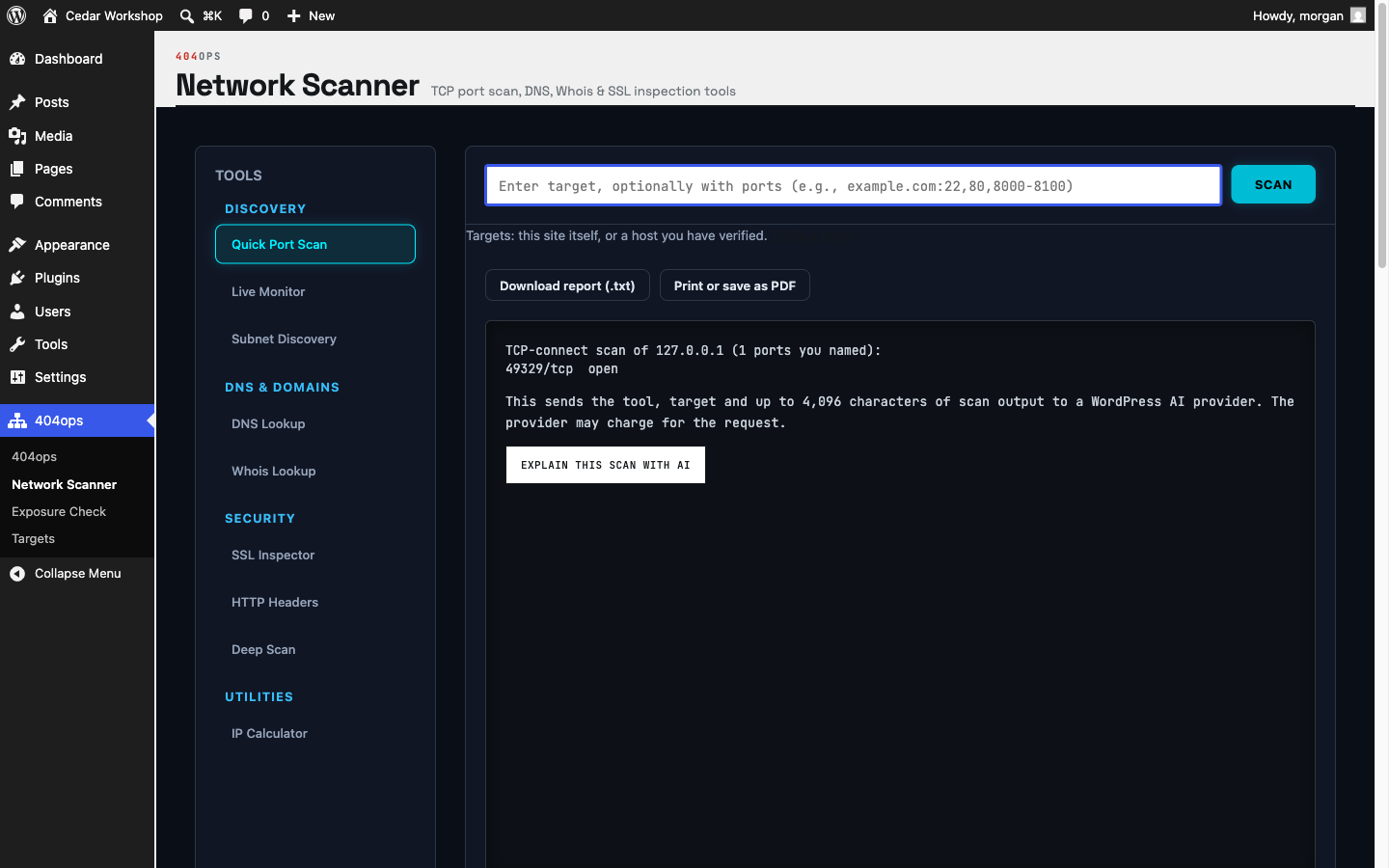
Choose a diagnostic tool
Run TCP, DNS, WHOIS, TLS and HTTP checks from the scanner console.
Open full-size screenshot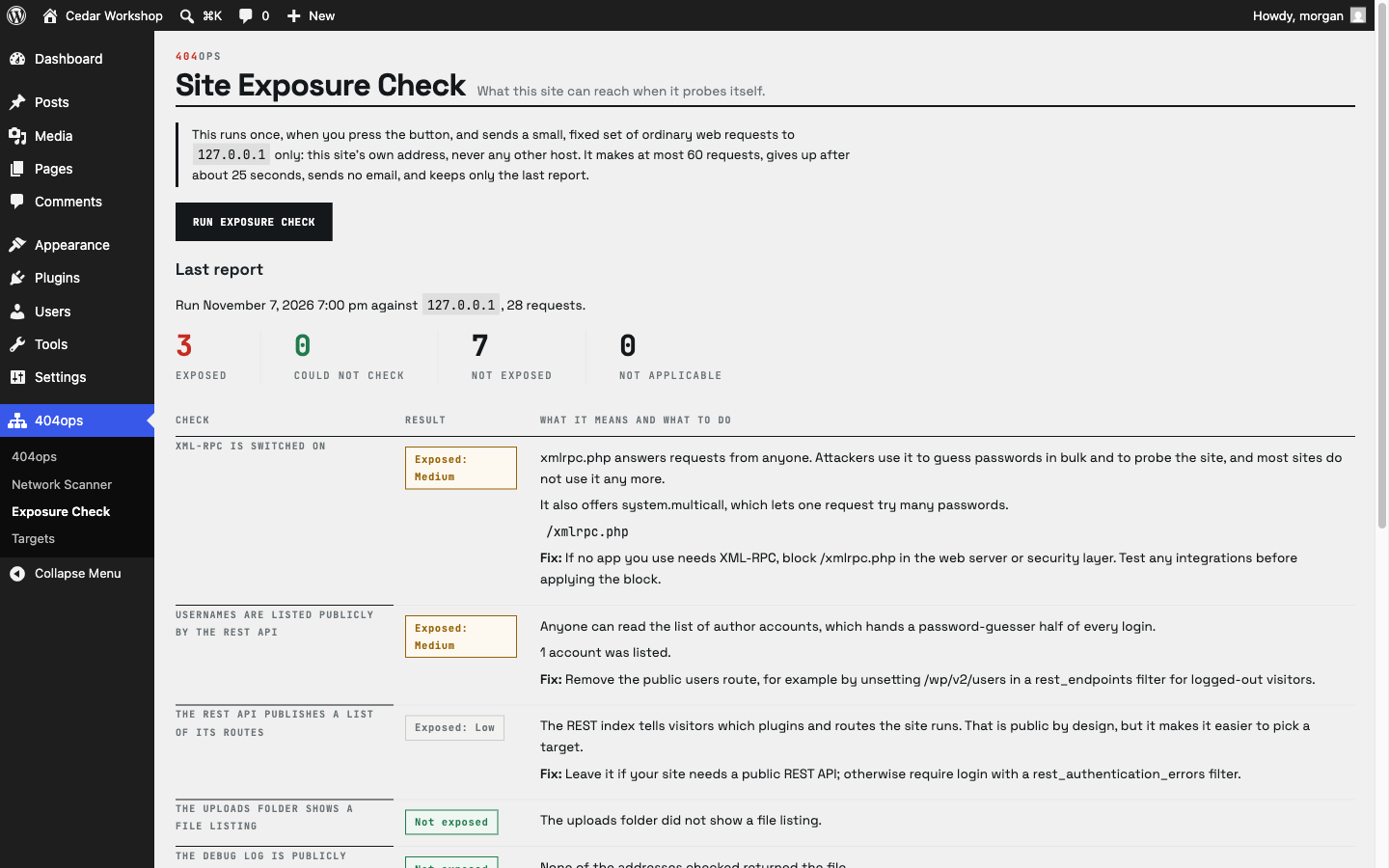
Check your site's exposure
Run a one-time check against your own site and review the stated limits of the result.
Open full-size screenshot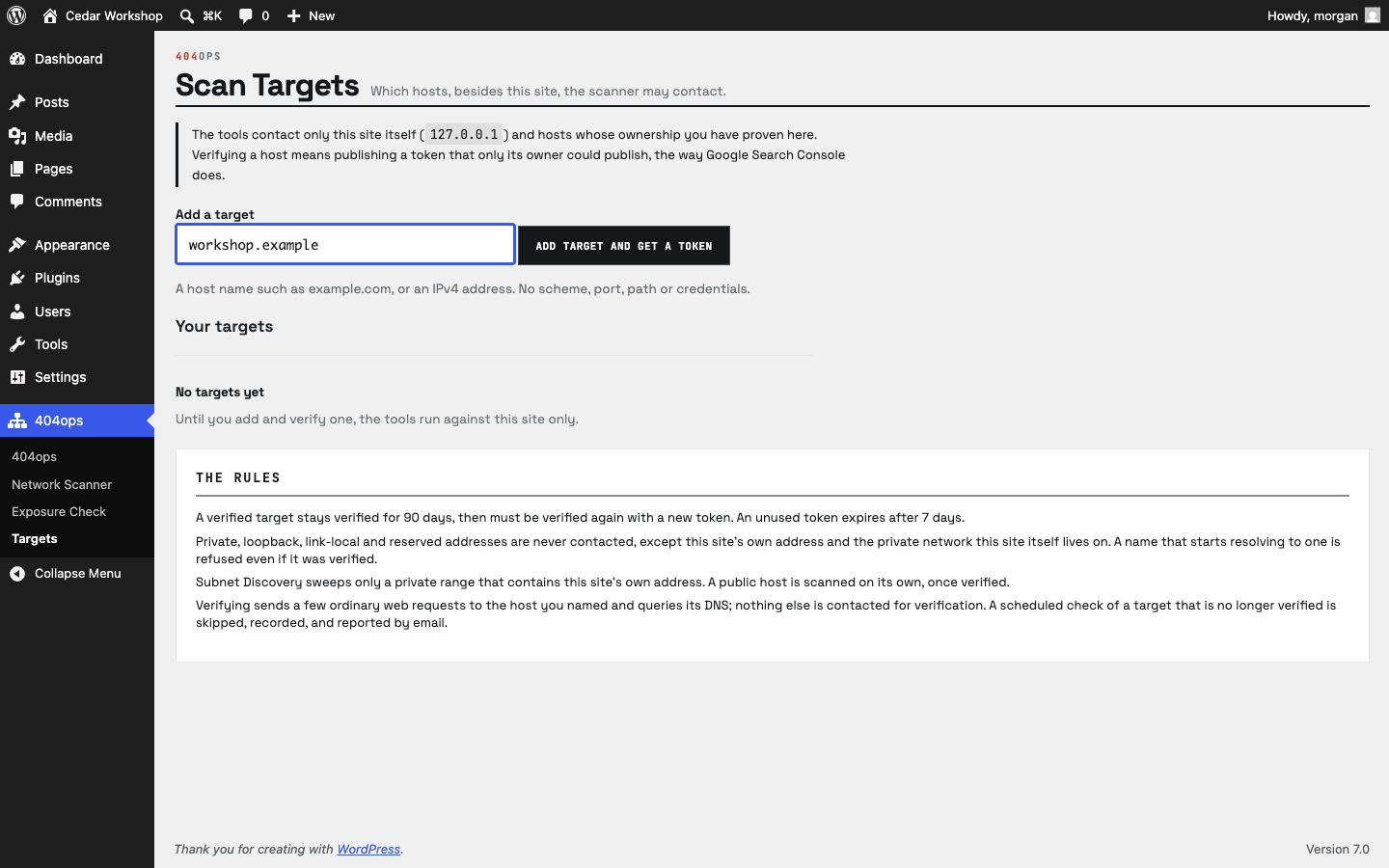
Verify another target
Add a host and verify ownership before running single-host tools against it.
Open full-size screenshot