404ops Site Options
Security hardening, performance tuning, admin tidy-up, database cleanup, and an options-table manager with dry runs and undo.
Screenshots404ops Site Options brings several common site-settings jobs together on one 404ops > Site Options screen. Every setting is opt-in: nothing is hardened, optimized or restricted until you check a box and save.
Features
- Security hardening: disable the file editor, XML-RPC and its pingback header, and the X-Powered-By header. Hide the WordPress version from the generator tag and feeds, and restrict the REST API to logged-in users.
- Failed-login limits per IP address and per username, with escalating lockouts. Login through the form, XML-RPC and application passwords is covered.
- Check which visitor address WordPress counts, preview Cloudflare proxy settings, and review current lockouts and recent lockout history.
- A custom login URL, with a recovery key.
- IP allow and block lists, with IPv4, IPv6 and CIDR ranges.
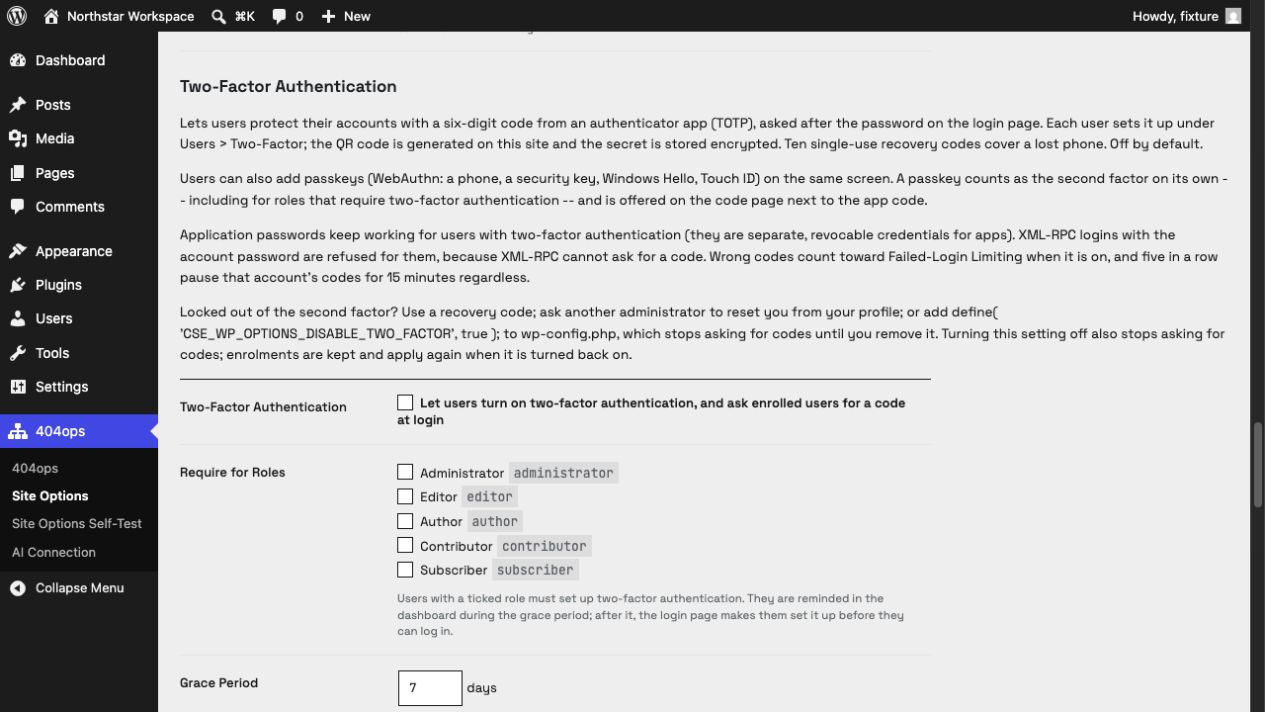
- Two-factor authentication with an authenticator app, role requirements and a grace period.
- Passkeys, with optional passwordless sign-in.
- Performance options: disable emoji scripts, oEmbed discovery and Dashicons on the front end, limit post revisions, set the autosave interval, and remove query strings from static assets. You can also hold back the Heartbeat API and set its interval.
- Admin customization: custom admin footer text, a custom login-page logo and title, and a forced admin colour scheme. You can hide admin menu entries, admin bar items and dashboard widgets. This is cosmetic: capabilities do not change.
- An options-table manager: browse options with their size, autoload flag and a guessed owner, find autoload bloat, and find orphans (it suggests, never deletes). Protected core options are view-only and secrets are never shown. Every change shows a dry run first, and edits and deletes save an undo snapshot first.
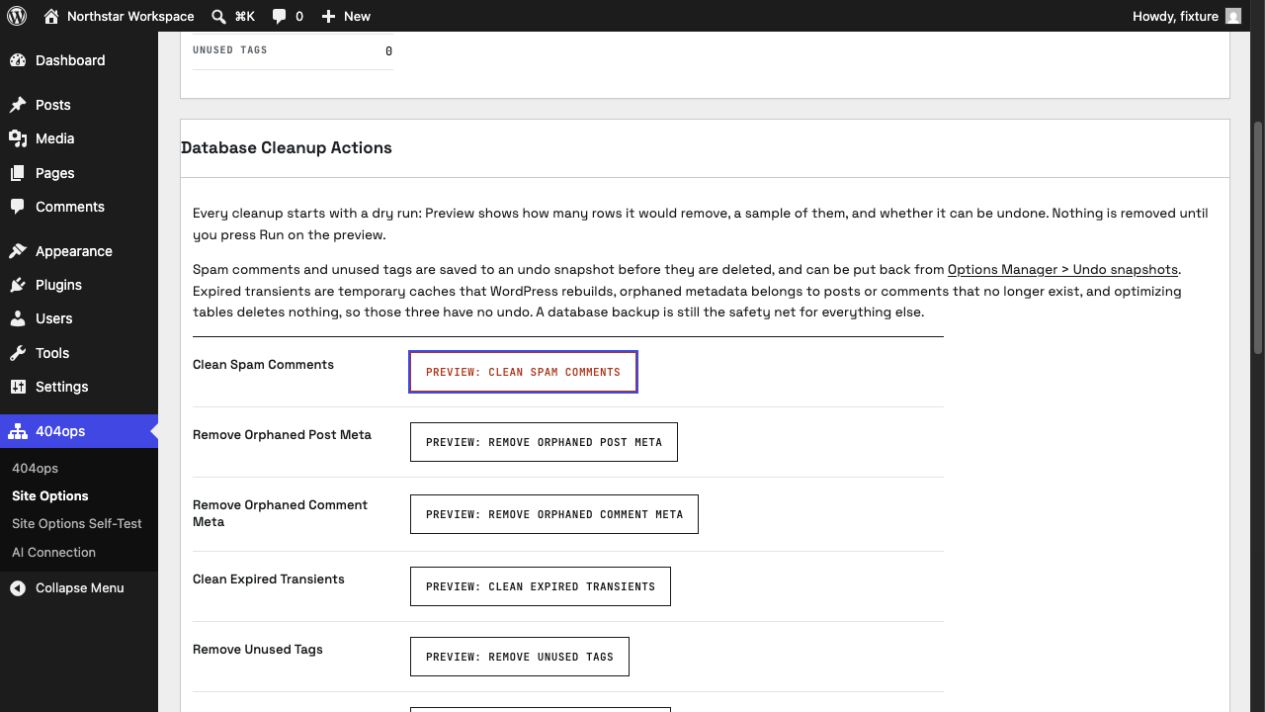
- Database maintenance: clean spam comments, orphaned meta, expired transients and unused tags, and optimize tables. Each cleanup runs when you press its button, unless you schedule it.
- Read-only WordPress Abilities, plus two guarded, undoable ones.
- Settings export and import as JSON, with a preview of the changes before anything is imported.
- Multisite: a network-admin screen captures a baseline, shows which sites deviate from it, and pushes it to selected sites. Each site keeps control of its own settings.
Multisite removal
Ask your host administrator to use the Site Options 2.9.1 multisite removal tool. The tool coordinates removal across the installation, respects each site's cleanup choice, and keeps shared authenticator and passkey enrollment. Release checksums
Free, full stop
There is no Pro tier and no hosted service to buy. Everything above is included in the plugin.
Free version
Download the Free ZIP on this page, then upload it from Plugins → Add New → Upload Plugin in WordPress.
AI and external data
Requested AI impact notes send the setting name/key, summary, current and proposed values, active plugin folder names and theme folder name. They do not send other settings, content or user records. Login-attempt records and cleanup undo snapshots are stored locally and have separate retention/export implications.
Read the installed edition's External Services disclosure before enabling a feature. Review the provider policies and DPA considerations.
In WordPress, open Plugins → Add New Plugin → Upload Plugin. Upload this ZIP and activate it.
Site Options screenshots